
Live 3D that keeps up.
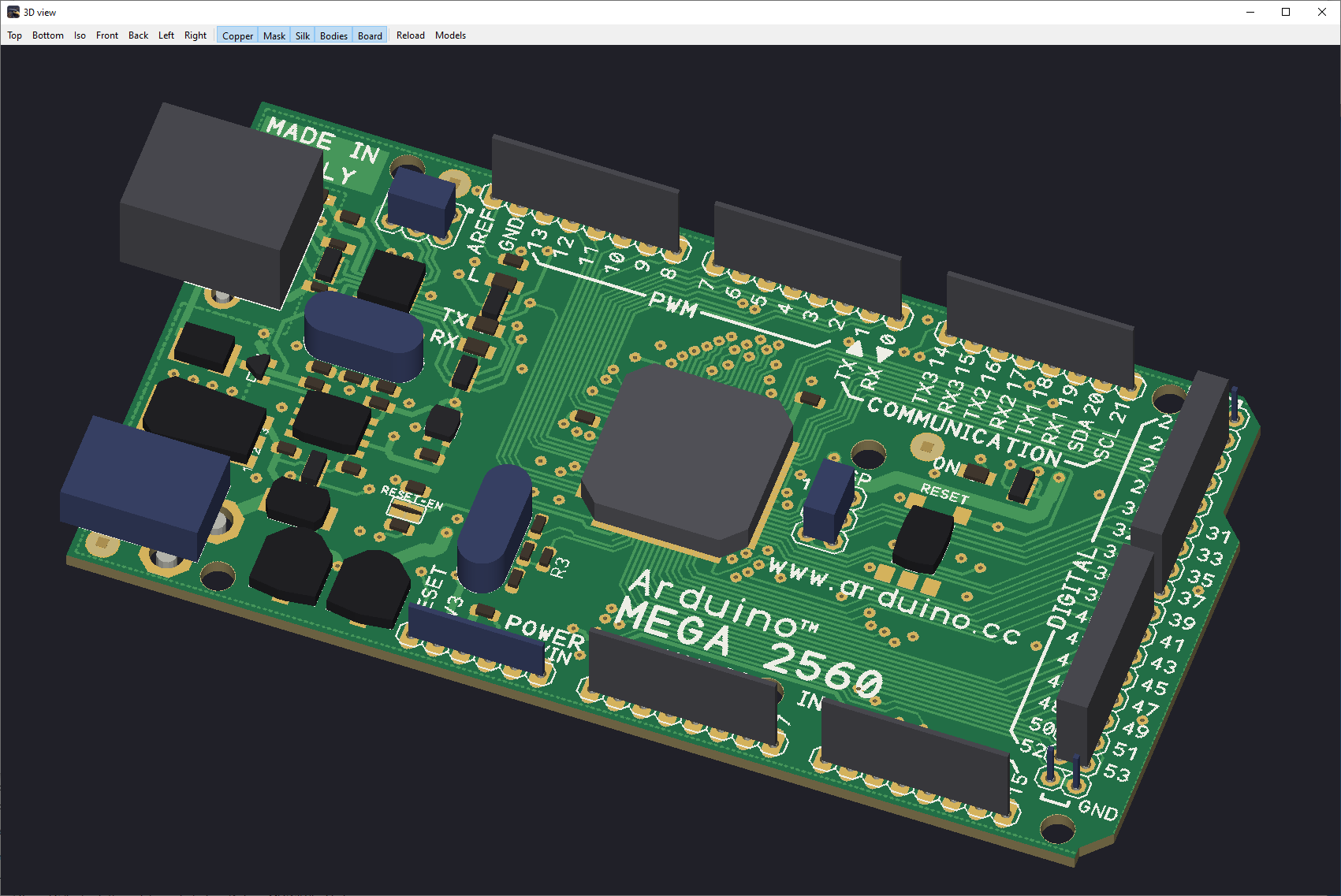
Move components in the board editor and see them move in the 3D view. A better way to spot fit, placement, and assembly problems early.
See the viewer →The workflow you know. The tools you wanted.
Move between Classic EAGLE-style controls and a Modern GUI. Design up to 32 copper layers, see changes in the live 3D view, route with integrated FreeRouting, and let your choice of AI operate TalonPCB through MCP. Go straight from a datasheet to a device in your library.
Bring Your Own AI Claude Code · OpenAI Codex · MCP-powered datasheet-to-device
Created for engineers who want familiar speed, modern capability, and a voice in the product’s future.
Actual TalonPCB screenshots · Desktop CAD for Windows and macOS
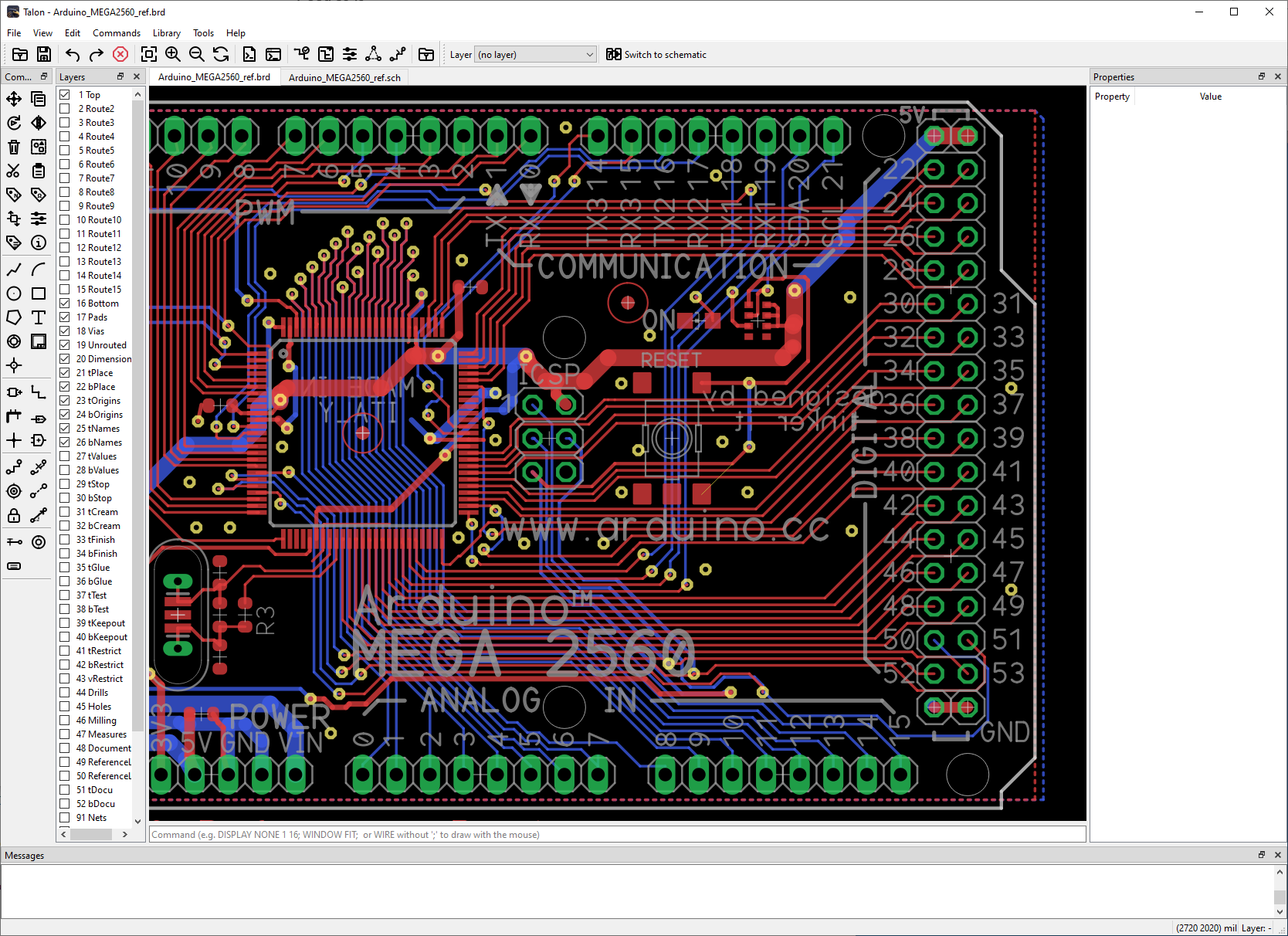
Built for the next generation of PCB design
The point isn't simply to replace EAGLE. It's to keep its speed and familiarity while moving PCB design forward.
Move components in the board editor and see them move in the 3D view. A better way to spot fit, placement, and assembly problems early.
See the viewer →Design small prototypes or complex multilayer boards with the same desktop CAD workflow, without layer-based licensing tiers.
Explore CAD features →Stay productive with EAGLE-style commands or work in a contemporary, discoverable interface. You decide how you design.
Compare the modes →Use Claude Code, OpenAI Codex, or another supported MCP client to issue real TalonPCB editor actions.
Explore MCP →Give your AI a manufacturer's PDF and create symbols, footprints, and device mappings through TalonPCB's MCP interface.
See the workflow →Why I built TalonPCB
After decades with this command-driven workflow, I wanted to keep what made it fast and familiar—without giving up modern capabilities. That's why I created TalonPCB.
My goal is simple: build the PCB design tool I'd want to use, and let the engineers using it help shape where it goes next.
Open AI integration · MCP server implemented
The working TalonPCB Model Context Protocol (MCP) server connects supported AI tool requests to the real desktop GUI. Claude Code can connect operating TalonPCB. Because the interface uses MCP, you can choose an MCP-capable client—including OpenAI Codex—rather than being locked to one AI provider.
Bring your preferred AI client and keep designing inside TalonPCB. Connect with your preferred supported MCP client. You review and validate all engineering changes.
MCP provides the tool connection. TalonPCB remains the CAD application.
A Claude Code session has driven the live TalonPCB GUI through the implemented MCP server—not a simulated design view.
OpenAI Codex supports MCP, and other compatible clients may connect to the same tool interface. Individual client integrations still need validation.
AI-assisted component creation is being routed through this same MCP server, with symbols, footprints, and pin mappings subject to engineering review.
Claude Code, OpenAI Codex, and other AI clients are separate products, not included with TalonPCB. Their plans, privacy policies, and API costs are their providers’ responsibility. Supported MCP commands, transport configuration, and validated clients will be described in the online User Manual.
Your editor. Your workflow.
EAGLE familiarity gets you productive immediately. The Modern interface gives you another way to work—with the same board, schematic and library underneath.
CLASSIC MODE
Familiar tools, commands, scripts, layers and fast keyboard-driven editing for EAGLE users.
MOVE R1ROUTEGRIDDISPLAYMODERN MODE
Contemporary navigation, organized tools and discoverable actions with the same full-featured CAD engine.
Illustrative interface-style labels, not screenshots. Both modes operate on the same TalonPCB project.
From idea to board
Capture the circuit, lay out the board, and refine your libraries with familiar tools and connected schematic-to-board workflows.
Multi-sheet schematics with nets, buses, cross-reference labels, and library parts. Find problems with an electrical rule check.
Design up to 32 copper layers. Route by hand or use integrated FreeRouting, with vias, airwires, polygons, thermal reliefs, keepouts, and board outlines.
Build symbols, packages, and devices. Connect pins to pads and manage technologies, prefixes, and attributes.
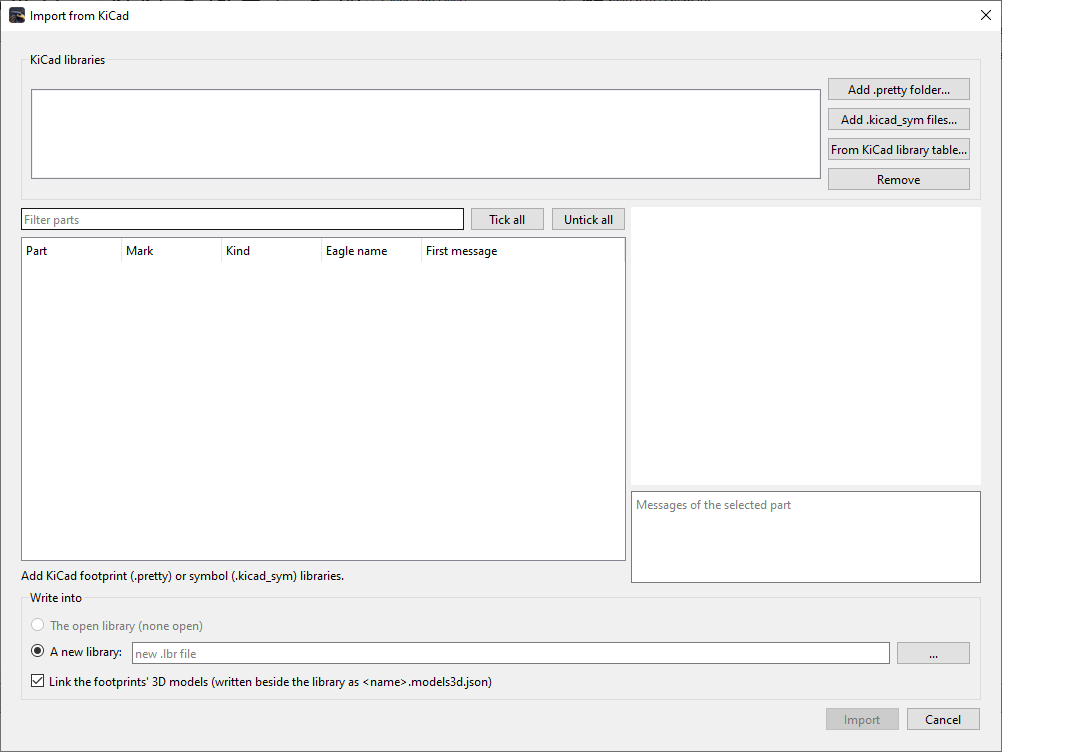
Open EAGLE 7 schematics, boards and libraries—and import KiCad projects, symbols, footprints and libraries. Keep moving forward without leaving your existing work behind.
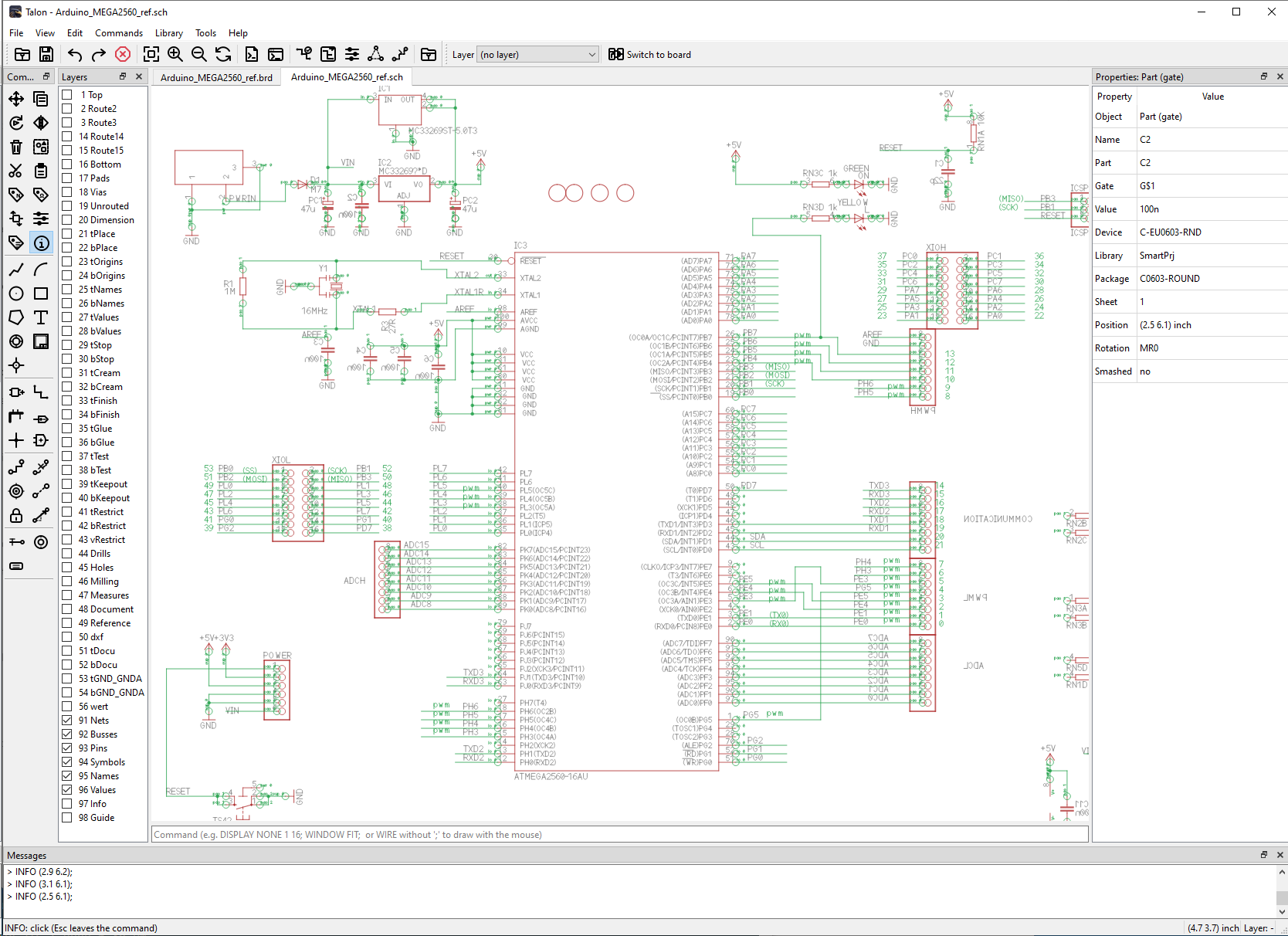
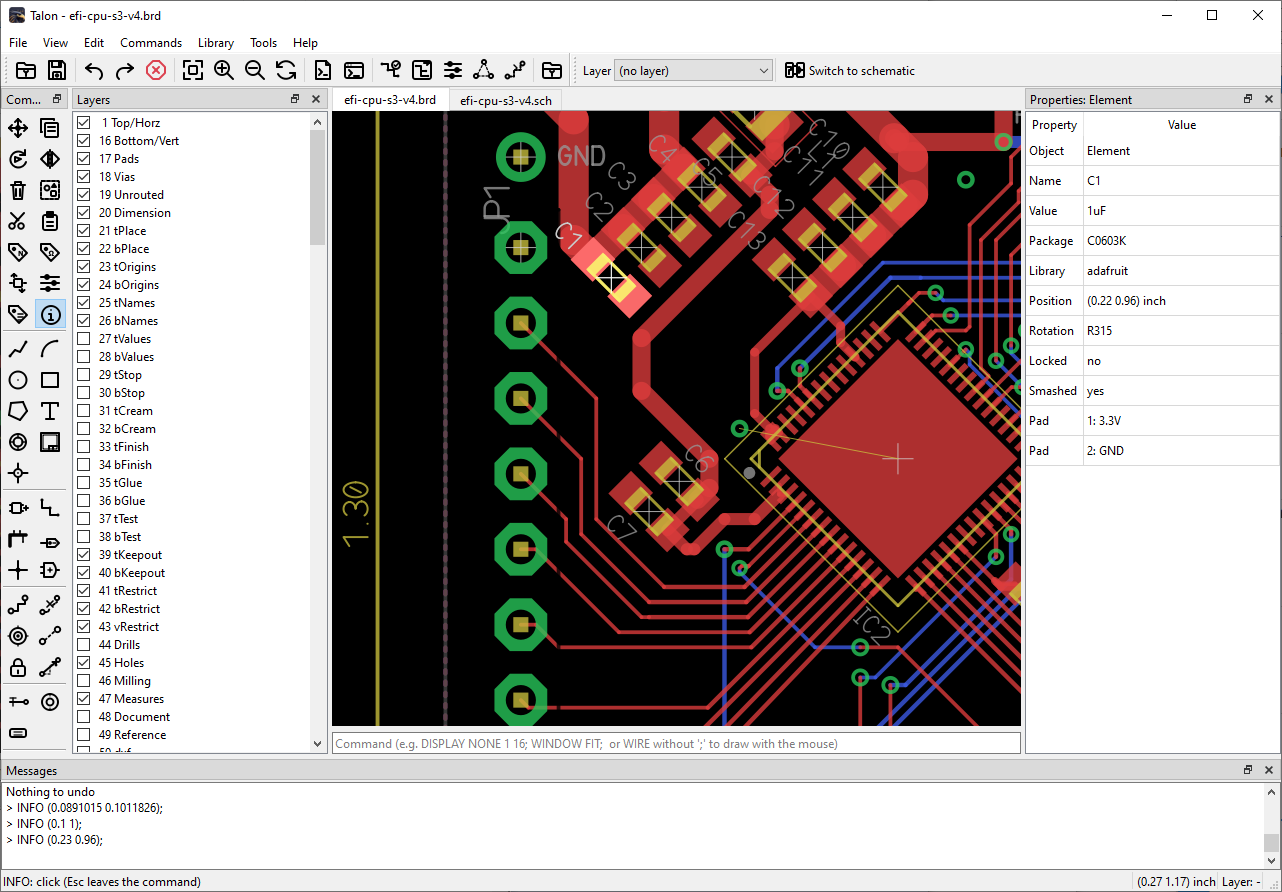
Screenshots show example designs in TalonPCB. No endorsement by their creators is implied.
More than a familiar interface
You shouldn't have to sacrifice capability to keep a productive workflow. TalonPCB brings together proven CAD workflows, integrated simulation, mechanical export, and live 3D inspection.
Switch between familiar EAGLE-style commands and a contemporary design interface, with one shared CAD project.
Connect Claude Code, OpenAI Codex or another supported MCP client. Your AI can operate the actual TalonPCB GUI. Explore AI integration →
From simple two-layer boards to complex multilayer layouts.
Automatic board routing integrated with the editing workflow.
Move components in the 2D board editor and watch the 3D view update as the design changes.
Simulate circuits with integrated ngspice tools as part of the design workflow.
Export 3D board geometry for mechanical CAD handoff and enclosure design.
Turn a component datasheet into library-ready symbols, footprints and device definitions using AI and TalonPCB tools. Verify against the manufacturer PDF.
AI-created library parts · Driven through MCP
Point TalonPCB’s AI workflow at a manufacturer datasheet. It identifies the pins and geometry, proposes a symbol and footprint, and uses the MCP server to create the device inside the real editor.
Review the pin numbers, mappings, package dimensions and electrical information against the manufacturer PDF before using the device in a production design.
Start with a manufacturer’s PDF. TalonPCB helps extract the details relevant to component creation.
AI proposes the symbol, footprint geometry, and pin-to-pad associations. The MCP workflow creates those objects in TalonPCB.
Check dimensions, pin numbers and electrical details against the PDF, correct anything needed, then save to your library.
Bring your EAGLE designs
Work with EAGLE 7 schematic (.sch), board (.brd), and library (.lbr) files through a familiar command-driven interface.
TalonPCB is designed to preserve unedited file content—including elements implemented differently in TalonPCB. Existing scripts, project workflows, and manufacturing jobs remain central to the experience.
See current editing limitations →EAGLE 7 compatibility workflows
Broader library. More freedom.
Import KiCad schematics, boards, symbols, and footprint libraries into TalonPCB. Keep the familiar editing experience while drawing from a broader ecosystem of existing projects and components.
Working KiCad schematics, boards and libraries — import
TalonPCB is independently developed and is not affiliated with or endorsed by Autodesk or the KiCad project.
From layout to fabrication
Produce manufacturing files from the editor or the command line. Run existing .cam jobs, with supported sections generated and unsupported sections listed in a report.
Manufacturing output
Gerber RS-274XLayers & artworkExcellonDrill filesPDFReview & documentationBOM / NetlistAssembly & handoffCAM output is checked in automated tests against reference output for real-world boards.
Your workflow, on repeat
Turn repeatable work into scripts, build-server tasks, or AI-operated actions. MCP now gives compatible AI clients a way to request actions in the desktop editor; existing .scr, Python, and command-line tools serve other automation needs.
Run existing command scripts in the editor or headlessly. Mouse actions are recorded as a script you can save and replay.
Mouse editing is new and still in user testing.
Access the open schematic, board, or library from Python with familiar object and member names.
RUN 'myscript.py'Example scripts include BOM, part lists, and renumbering.
Run commands and scripts, complete CAM jobs, generate reports, perform ERC/DRC, and check files headlessly.
Built for build servers and continuous integration.
Compare for yourself
The familiar workflow is only the beginning. See how TalonPCB compares with EAGLE 7, KiCad 10, and DipTrace 5.3 Full.
| Capability | EAGLE 7 Pro | KiCad 10 | DipTrace Full | TalonPCB |
|---|---|---|---|---|
| Copper layers | 16 | 32 | Unlimited signal | 32 |
| 3D PCB viewing | External/export | Integrated, synced | Real-time preview | Live linked 3D |
| Classic + Modern modes | Classic | KiCad interface | DipTrace interface | Both, selectable |
| Built-in MCP interface | Not native | Third-party bridges | Not native | Native MCP server |
| AI datasheet → device via MCP | Not native | Third-party workflows | Not native | Integrated workflow |
The comparison uses specific editions—not artificially limited free tiers. Other tools have real strengths, too.
See full feature comparison →TalonPCB public beta
Available to downloadDownload and use the full CAD feature set included in this beta—without artificial board-size or layer limits. Explore the familiar workflow, send feedback directly from TalonPCB, and help shape what comes next. Hosted AI datasheet processing, when offered, uses separately metered credits.
Choose your platform
Linux availability will be announced separately.
Beta expiration: Beta editing access ends on the published expiration date shown with the release. After expiration, you can still open projects in read-only mode and export your designs. A commercial license re-enables editing. Your design files remain yours.
Pre-release software: Bugs may occur. Keep backups and independently verify manufacturing output. Hosted AI datasheet processing, when available, uses metered credits; check the balance and cost before starting a job.
Before you begin
Clear answers about the workflow, supported features, and what the public beta means for your designs.
Yes. The public beta provides free access to the included CAD functionality without artificial board-size or layer limits. Hosted AI datasheet processing is separately metered when available.
The editor includes built-in bug reporting that sends feedback directly to the developer. AI-assisted triage helps organize and prioritize reports; it does not automatically resolve them. Response times are not guaranteed during beta. Review what you submit if your projects contain confidential information; diagnostics and privacy details will be published before beta launch.
Yes, editing access is time-limited. When your beta license expires, TalonPCB becomes read-only: you can open existing designs and export them, but editing requires a commercial license. Your files remain yours; always keep independent backups.
The public beta offers Windows 64-bit and macOS downloads. Linux support is still being evaluated.
TalonPCB provides familiar command names and command-line syntax, supports .scr scripts, and works with paired schematic and board designs. Specialized EAGLE workflows may differ; see the limitations below.
Import KiCad board files, schematics, symbol libraries, and footprint libraries. Verify imported boards and manufacturing output before production.
Yes. TalonPCB exposes design tools through its MCP server. Connect Claude Code, OpenAI Codex, or another supported MCP client and let the AI drive editor actions. External AI plans and usage charges are separate. Learn about AI + MCP.
Yes. TalonPCB uses MCP-driven AI workflows to generate symbols, footprints and device mappings from manufacturer PDFs. Always verify dimensions, pins and electrical properties against the source document. Hosted AI processing uses separately metered credits.
Yes. FreeRouting is integrated alongside manual PCB editing tools.
Yes. When you move components in the 2D board editor, their positions update in the live 3D view. STEP export supports mechanical CAD handoff.
Yes. The beta includes integrated ngspice circuit simulation.
TalonPCB is a separately developed editor, not an EAGLE binary replacement. A small number of specialized EAGLE functions and extension mechanisms use different workflows. For example, TalonPCB uses Python scripting rather than EAGLE ULP. Confirm project-specific workflows using the online manual.
Internet access is required for beta registration and periodic license verification. Normal CAD editing is desktop-based, while hosted AI processing requires connectivity.
See the licences and notices page. Full notices will also ship with the application.
For as long as the original subscription remains continuously active. Only 250 Founders memberships will ever be issued. Once those 250 are claimed, Founders pricing is permanently closed. Cancel or let the subscription lapse and the rate is permanently forfeited; canceled slots are never reissued. Read the Founders offer.
Yes. Claim one of the 250 Founders reservations while the beta is running to secure the $8.50/month rate. The beta remains free; paid Founders subscriptions and standard license purchases begin after the beta period ends. How reservation and release pricing work.